
Screenshots
Giới thiệu về Bangla Color Keyboard 2018: Bangladeshi Language
Type Bengali seamlessly on your Android phone or tablet with a free keyboard designed for the Bangla language. Bangla Color Keyboard 2018: Bangladeshi Language makes typing in Bengali quick and intuitive, whether you're messaging, emailing, or searching online.
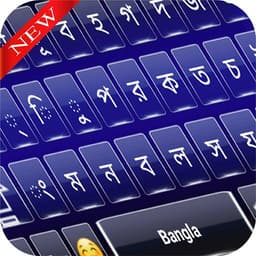
The keyboard features a thoughtfully arranged five-row layout that combines both English and Bangla characters in one interface. Switch effortlessly between languages as you type, with support for phonetic and traditional input methods. The Avro keyboard layout is based on familiar QWERTY spacing but optimized for Bengali script, so your fingers find the right keys naturally. Voice input is also supported, letting you speak Bengali text directly into your messages and apps.
Choose from a range of colorful themes to personalize your typing experience. Light and dark options are available, along with the ability to apply custom themes that match your style. Each theme transforms the keyboard's appearance while maintaining the same responsive functionality. The visual customization makes typing feel fresh every time you unlock your phone.
Word prediction and auto-correction work as you type, catching misspelled Bangla words and suggesting corrections instantly. A built-in dictionary helps you find the right words without leaving the keyboard. These features speed up your typing and reduce the number of corrections you need to make manually. The keyboard works offline, so you can compose messages and notes even without an internet connection.
The app supports over 70 languages beyond Bengali, making it versatile for multilingual users. Whether you're replying to family, writing emails, or searching for content in Bangla, this keyboard adapts to your needs. Installation is straightforward: download from the Play Store, enable the keyboard in your settings, and select your preferred theme to begin typing.
Your privacy is protected. The keyboard does not save your keystrokes, personal photos, videos, contacts, or any data from your microphone or camera. Type with confidence knowing your input remains private. Bangla Color Keyboard 2018: Bangladeshi Language is free to download and use, with no hidden costs or premium features locked behind paywalls.
Ưu điểm & Nhược điểm
Ưu điểm
- Supports both phonetic and traditional Bangla input methods
- Works offline, allowing composition without internet connection
- Word prediction and auto-correction reduce manual typing corrections
- Offers 70+ languages beyond Bengali for multilingual users
- No keystroke logging or data collection from input, microphone, or camera
Nhược điểm
- App name suggests 2018 release; likely unmaintained with outdated Bengali script support
- Colorful themes may distract or strain eyes during extended typing sessions
- Voice input requires microphone access; unclear how speech is processed locally
- No mention of emoji support or special character insertion beyond Bangla characters
Ứng dụng liên quan

AlienGUIse
Desktop themes and manager for Windows — transform your system with 5 futuristic designs.

SharpKeys
Remap keyboard keys to launch apps, media controls, and custom commands on Windows.

RocketDock
Desktop launcher for Windows — quick access dock with customizable icons and positioning.

Custom Resolution Utility (CRU)
Display resolution utility: Create custom resolutions for your monitor with precise refresh rate control.

Lagguy Wallpapers
Lagguy
4K & HD wallpapers for Android — minimal, abstract, nature, AMOLED designs with lifetime access

Lock Screen OS
Apps Genz
Customize your lock screen with widgets, photos, and notifications. Replace Android's default lock screen.
Latest Articles
Best apps for AI presentation generation on desktop in 2026 (we tested 7)
Jun 9, 2026
Best apps for AI workflow automation on desktop in 2026 (we tested 7)
Jun 9, 2026

Best apps for anime fighting games on PC in 2026 (we ranked 7)
Jun 9, 2026
Best apps for Backrooms-style horror games on Android in 2026 (we ranked 7)
Jun 9, 2026
Best apps for controller drift calibration on desktop in 2026 (we tested 7)
Jun 9, 2026